
Village in the Shade Download Guide: Release Date, Size, and Purchase Tips
Download Village in the Shade from the official storefront for your platform and region.
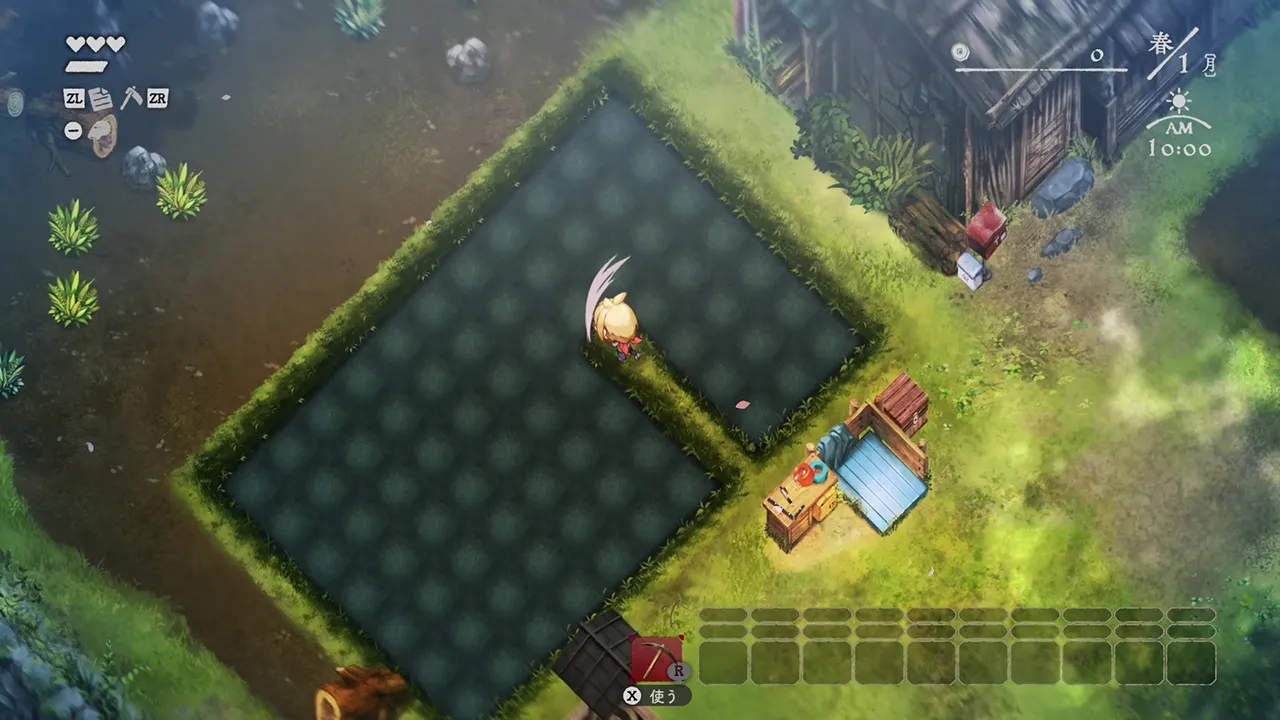
Village in the Shade download: What to know before buying
The village in the shade download is now available for Nintendo Switch 2 players who want a hand-painted farming simulation with a mysterious edge. Before you start the village in the shade download, it helps to confirm the release date, storage requirement, Nintendo Account settings, and system compatibility.

Village in the Shade Launch Trailer - (Nintendo Switch, Nintendo Switch 2, PlayStation 5, and Steam) · NIS America
Official launch trailer used as general reference for the 2026 original game. It is not a dedicated tutorial, a hardware test, or proof of a specific mechanic, patch, translation, price, or demo.
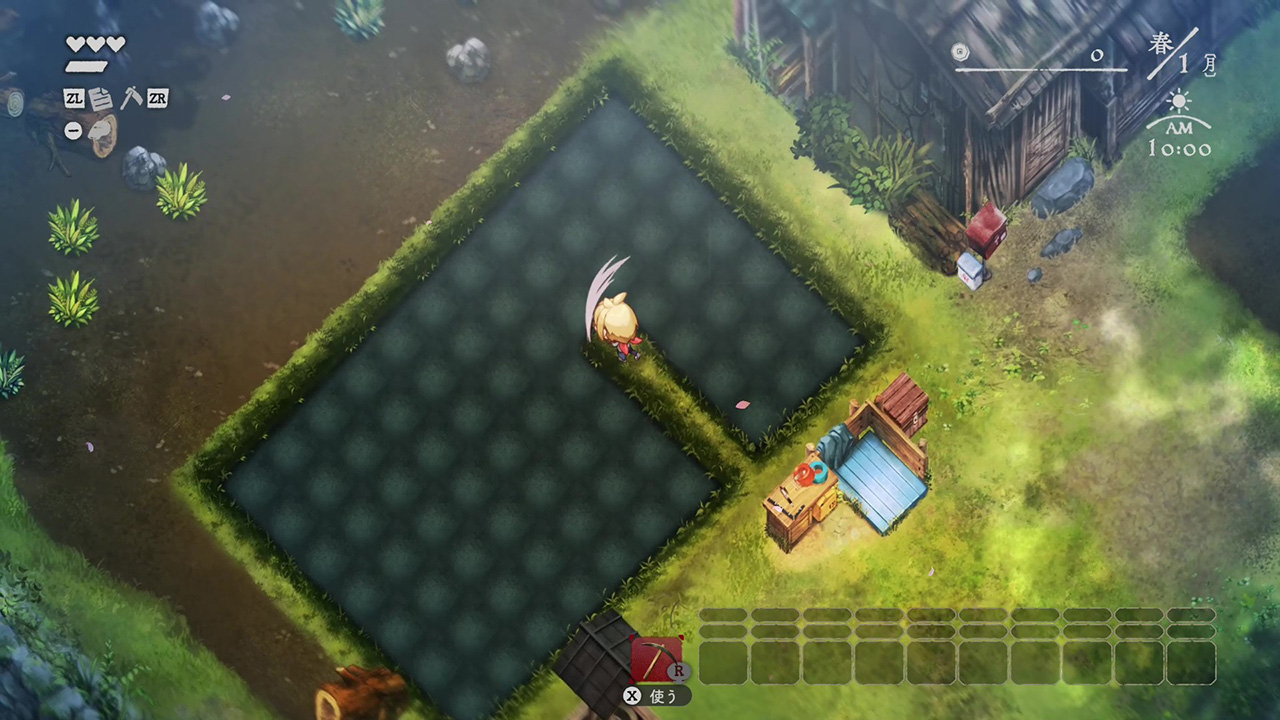
Cover context: Official rice-paddy screenshot; general game reference, not a download page or installer.
Set in Kagatsu, a secluded Japanese mountain village, Village in the Shade combines crop growing, homestead customization, character relationships, and unsettling secrets. It looks peaceful on the surface, but the game’s rules and hidden stories add a horror-tinged layer to its countryside setting.
Nintendo lists the game as a Nintendo Switch 2 title published by NIS America. The digital version requires approximately 5.4 GB of storage and supports English, Spanish, and French.
Village in the Shade download details at a glance
The table below summarizes the confirmed purchase information currently listed by Nintendo.
| Detail | Confirmed information |
|---|---|
| Game | Village in the Shade |
| Platform | Nintendo Switch 2 |
| Release date | October 27, 2026 |
| Digital size | Approximately 5.4 GB |
| Publisher | NIS America |
| Genre | Farming simulation |
| Players | One player on one system |
| Modes | Handheld, tabletop, and TV |
| Supported languages | English, Spanish, and French |
| Age rating | PEGI 12 |
| Online features | Nintendo Switch Online features listed; game is primarily single-player |
The release date means players searching for a village in the shade download can check the Nintendo eShop now, provided they use a compatible Nintendo Switch 2 console and Nintendo Account.
The official listing does not provide a universal price in the available reference material. Digital pricing can vary by country, currency, taxes, promotions, and account region, so check the eShop listing connected to your account before completing the purchase.
For the latest listing information, visit the official Nintendo page for Village in the Shade.
How to purchase and install the digital version
Buying the game digitally is straightforward, but a few account and storage checks can prevent delays. Use the following process for a smooth village in the shade download.
| Step | What to do | Why it matters |
|---|---|---|
| 1 | Open Nintendo eShop on Nintendo Switch 2 | The game is listed as a Nintendo Switch 2 title |
| 2 | Search for “Village in the Shade” | Confirm the title and publisher before buying |
| 3 | Review the country-specific price | Prices and currencies depend on your Nintendo Account region |
| 4 | Check available storage | The listed download size is about 5.4 GB |
| 5 | Complete payment with Nintendo eShop funds or an accepted method | Digital purchases are tied to the purchasing account |
| 6 | Select download or begin the queued download | Installation starts on the console |
| 7 | Wait for installation to finish | Do not launch until the download and installation are complete |
| 8 | Start the game from the HOME Menu | Your save data can then be created locally |
Nintendo states that digital purchases are connected to the Nintendo Account used to complete the transaction. Make sure you are signed in to the account that should own the game. Purchasing on the wrong account can make access and console sharing more complicated later.
You should also verify that your account’s country setting matches the storefront you are using. Regional settings can affect the displayed price, currency, purchase terms, and availability.
Storage planning for Nintendo Switch 2
Although the listed file size is 5.4 GB, it is sensible to have more free space available than the exact installation figure. A small buffer allows the console to download temporary data, install updates, and maintain room for future patches.
| Storage situation | Recommendation |
|---|---|
| More than 10 GB free | Comfortable for the initial installation |
| 5.4–10 GB free | May work, but leaves limited room for temporary data or updates |
| Less than 5.4 GB free | Clear space before starting |
| Nearly full internal storage | Consider compatible expanded storage or remove unused software |
| Unstable internet connection | Download during a period when the connection is reliable |
The official listing specifically advises players to ensure they have enough storage before downloading. If the installation does not begin, check free space first rather than repeatedly restarting the purchase.
What kind of game is Village in the Shade?
Village in the Shade is presented as a farming sim set in Kagatsu, a Japanese mountain village filled with secrets. The core loop appears designed around peaceful daily routines: planting crops, improving your home, and getting to know the people who live nearby.
That calm structure is contrasted with suspicious rules and characters who may be hiding information. The result is a game aimed at players who enjoy management and life-simulation mechanics but want a darker narrative atmosphere than a conventional cozy game.
| Feature | What players can expect |
|---|---|
| Farming | Plant and manage crops as part of the village routine |
| Homestead | Customize and develop your living space |
| Exploration of relationships | Meet characters with individual stories and secrets |
| Setting | A hand-painted Japanese mountain village |
| Tone | Quiet countryside life mixed with mystery, horror, and tension |
| Progression style | Simulation activities paired with narrative discovery |
| Player count | Single-system, single-player experience |
The game’s PEGI 12 rating includes content categories for bad language, violence, and horror. That rating is important for buyers expecting a purely relaxing farming experience. The rural scenery may be gentle, but the story includes darker material.
No multiplayer mode is identified in the available product details. Nintendo Switch Online features are listed on the page, but that does not mean the main game is a multiplayer farming title. Treat Village in the Shade as a single-player experience unless the developer or official store provides additional clarification.
Is the Village in the Shade download right for you?
The digital version may be a good match if you value convenience and plan to play on the same Nintendo Switch 2 system regularly. A digital purchase avoids waiting for shipping and lets you launch the game from the console’s HOME Menu after installation.
It may be especially appealing to players who:
- Enjoy farming and life-simulation games
- Like customizing a home or personal space
- Prefer story-focused single-player games
- Want a hand-painted visual style
- Enjoy mysteries involving suspicious characters and hidden rules
- Play in handheld, tabletop, or TV mode
- Prefer an instant digital purchase over a physical copy
The game may be less suitable if you are looking for:
- Online co-op farming
- A confirmed Nintendo Switch or Nintendo Switch Lite version
- A competitive multiplayer mode
- A purely cheerful, low-stress farming game
- A very small download
- Extensive language support beyond English, Spanish, and French
| Player preference | Fit for this game |
|---|---|
| Cozy farming with a mystery layer | Strong potential fit |
| Single-player narrative | Good fit |
| Online multiplayer | Not confirmed as a core feature |
| Handheld play | Supported |
| TV play | Supported |
| Darker themes | Present through horror, violence, and village secrets |
| Large language selection | Limited to the listed languages |
Because the available details come from the official product listing, some gameplay specifics—such as the full crop list, home upgrades, quest structure, and length—should not be assumed until more information is published.
Tips for a smooth digital purchase
A few practical checks can make the village in the shade download process easier.
1. Confirm the console model
The listed system is Nintendo Switch 2. Do not assume the game is compatible with the original Nintendo Switch family simply because the title is a farming simulation. Check the exact system label on the eShop page before buying.
2. Check your Nintendo Account region
The eShop displays purchasing information based on your account’s country setting. If your account region differs from the Nintendo website or your current location, the price and available purchase details may change.
3. Free up space ahead of time
Plan for at least 5.4 GB of available storage, with additional room recommended. Delete demos, screenshots, videos, or unused software only after confirming that important save data is backed up or otherwise safe.
4. Use a stable connection
A 5.4 GB download may take considerably longer on a slow or congested network. If possible, begin installation when you will not need to move the console or interrupt the connection.
| Connection speed | Approximate best-case time for 5.4 GB* |
|---|---|
| 10 Mbps | About 72 minutes |
| 25 Mbps | About 29 minutes |
| 50 Mbps | About 14–15 minutes |
| 100 Mbps | About 7–8 minutes |
*These are rough theoretical estimates. Real download times vary because of Wi-Fi performance, server traffic, network overhead, and other devices using the connection.
5. Keep the console powered
The console may continue downloading in sleep mode if the relevant settings allow it. Make sure the system has sufficient battery or is connected to power, especially when downloading in handheld mode.
6. Review the age rating
The PEGI 12 rating identifies bad language, violence, and horror. Parents and guardians should review those categories before allowing younger players to access the game.
7. Avoid unauthorized modifications
Nintendo warns that unauthorized devices or software used to technically modify the console or game may cause the title to become unplayable. Use the standard Nintendo eShop and official system software for the safest installation.
Digital purchase versus waiting for another option
For players deciding whether to buy immediately, the main choice is convenience versus flexibility. The digital version is useful if you want to start playing right away and do not need to resell or lend the game.
| Consideration | Digital download | Physical option, if offered later |
|---|---|---|
| Start playing | Immediately after installation | After delivery or store purchase |
| Storage | Requires approximately 5.4 GB plus free space | Usually reduces download dependence, though updates may still require storage |
| Resale | Generally not resold like a physical copy | May be resold or traded depending on local rules |
| Sharing | Governed by Nintendo Account and console settings | Cartridge can be moved between compatible systems |
| Convenience | Always available from the HOME Menu | Requires inserting the game card |
| Price | Varies by region and promotions | Varies by retailer and stock |
The source material confirms the digital listing, but it does not confirm a physical edition, final pricing, discounts, or future bundles. Check NIS America and Nintendo announcements for updates rather than relying on unofficial listings.
Final buying checklist
Before starting your purchase, run through this short checklist:
- You own or use a Nintendo Switch 2.
- Your Nintendo Account is signed in.
- Your country setting matches the eShop you intend to use.
- You have at least 5.4 GB of free storage, preferably more.
- You understand the game is primarily a single-player farming simulation.
- You are comfortable with the PEGI 12 content categories.
- Your internet connection is stable enough for a multi-gigabyte download.
- You have reviewed the displayed regional price before confirming payment.
Related guides
Media sources
Related Articles
platforms
Village in the Shade on PS5: Editions, Languages, and Buying
Village in the Shade is officially available on PlayStation 5, with the Western release dated October 27, 2026.
platforms
Village in the Shade Steam Guide: Price, Features, Requirements, and More
Village in the Shade on Steam combines single-player farming and village life with a supernatural mystery.
platforms
Village in the Shade Steam Deck Guide: Verified Status, Settings, and Tips
Village in the Shade is listed as Steam Deck Verified and supports Steam Cloud and controllers.
Was this helpful?
Thanks for the feedback!